
Tune it. See it. Hear it better.

Three focused Windows tools to take your sound to the next level: NodeEQ โ€” system-wide EQ for any headphones, SoundSight โ€” visual audio radar overlay, and AutoSonic โ€” automatic EQ for footsteps & clarity. Instant download.

System-wide EQ for any headphones Visual audio radar overlay Automatic EQ (AutoSonic)
  • Instant download
  • Windows 10/11
  • One-time license
$5
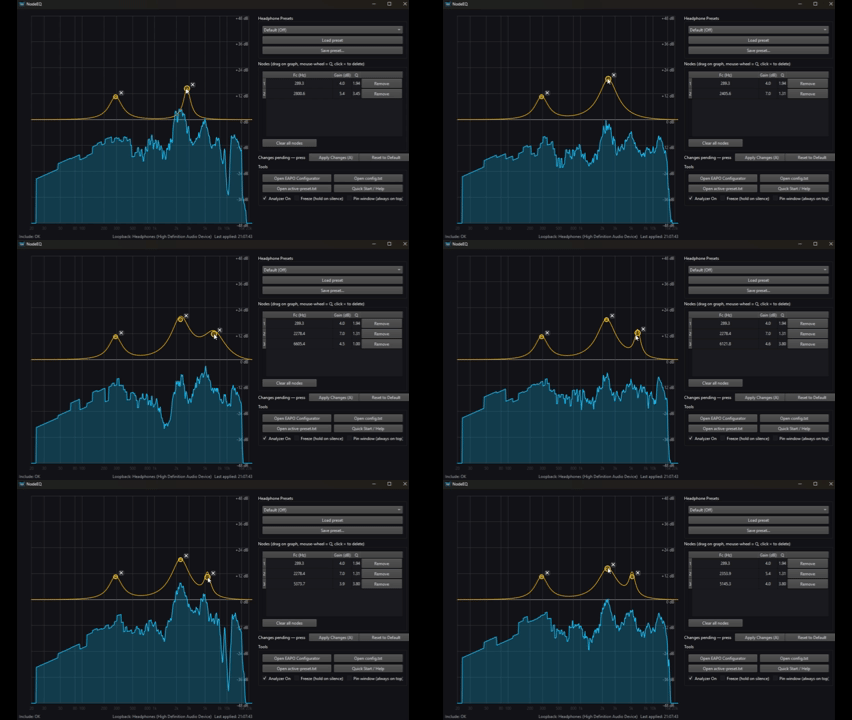
NodeEQ demo
System-wide EQ ยท Analyzer

NodeEQ

A clean, fast system-wide equalizer for any headphones with real-time adjustments and a live spectrum analyzer.

  • EQ any headphones โ€” wired, Bluetooth, USB DAC
  • Drag nodes to tweak in real time (instant A/B)
  • Live spectrum capture of system audio
  • Equalizer APO helper (install / check)
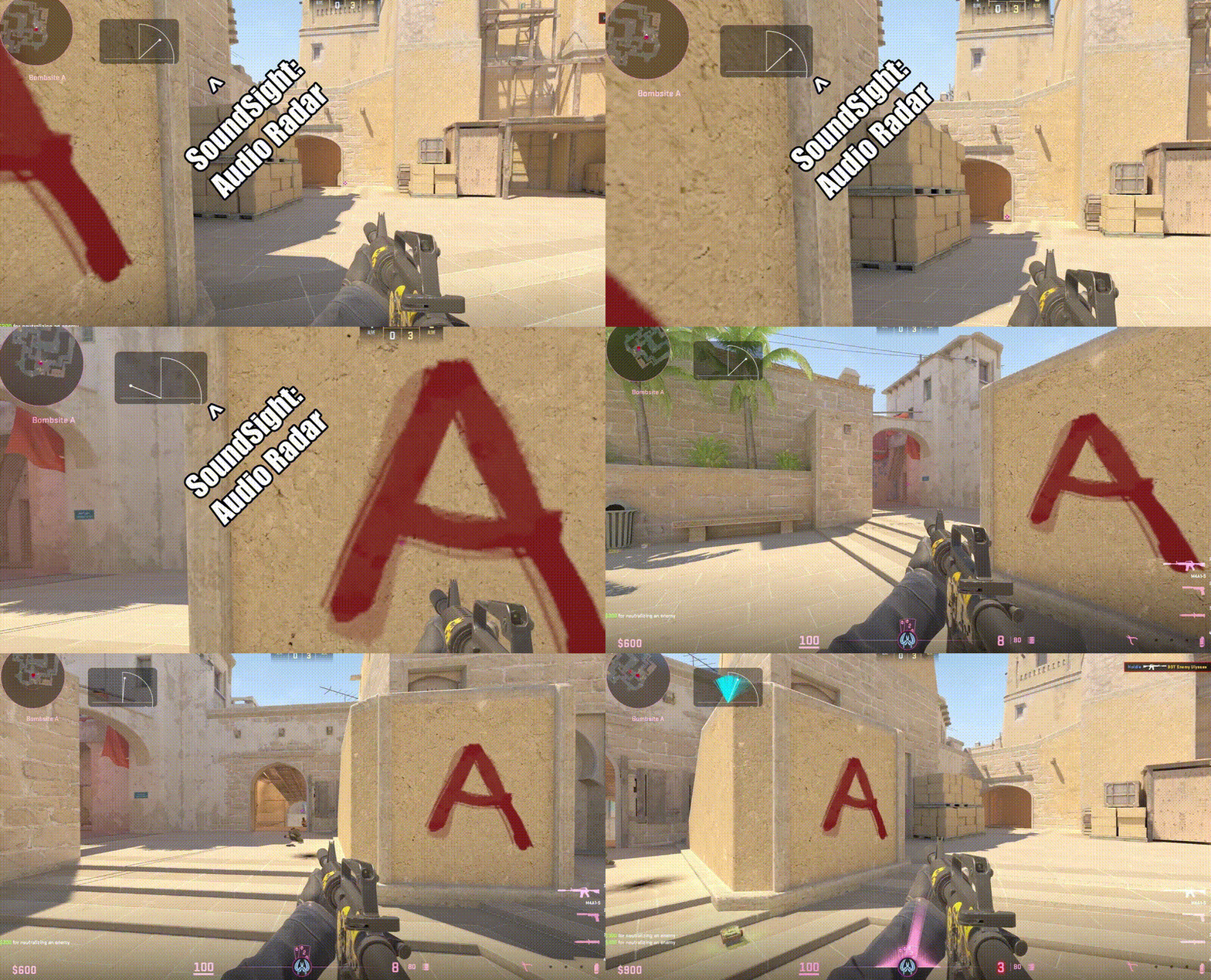
SoundSight demo
Visual Audio Radar

SoundSight

A visual audio radar overlay that turns stereo system audio into clean directional cues โ€” see where sounds come from instantly.

  • Frameless overlay (always-on-top)
  • Petals, Dots, Comet, Solid Fan, Single Line
  • Configurable colors, thickness, fade, smoothing
  • Portable EXE โ€” double-click and go
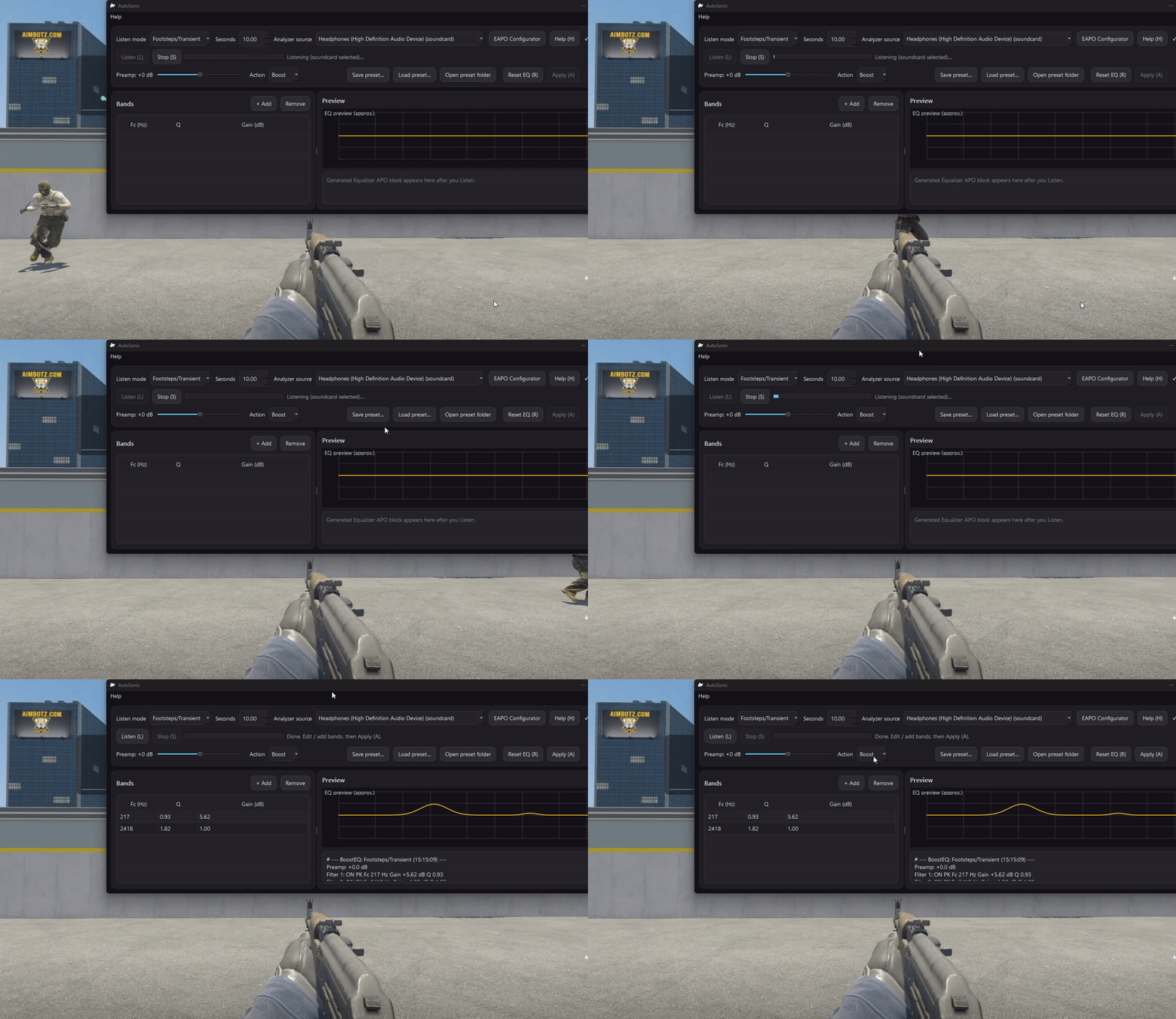
AutoSonic demo
AutoEQ ยท Footsteps & clarity

AutoSonic

AutoEQ for footsteps & clarity. Play the sound you care about, click Listen, and AutoSonic automatically suggests what to boost (or reduce). Then click Apply to make it system-wide with Equalizer APO.

  • Press Listen while the sound plays
  • AutoSonic picks the EQ โ€” no frequency knowledge needed
  • Footsteps, Ambience, Balanced modes
  • One-click Apply to Equalizer APO
  • Save presets per game or headphones

Which tool do you need?

NodeEQ

  • System-wide EQ
  • Live spectrum analyzer
  • Precision tuning
Tune your sound

SoundSight

  • Visual audio radar
  • Directional awareness
  • Zero setup
Learn more

AutoSonic

  • Automatic EQ
  • Footsteps & clarity
  • Apply system-wide
See AutoSonic

Helpful tools โ€” simple and fast

One file. One click. Done.